Overview
This article demonstrates how to generate a unique Open Graph image for each blog post in HydePHP. We will configure meta tags to use post-specific images when available, falling back to a default image otherwise. We will also create an artisan command that generates images using the Intervention Image library.
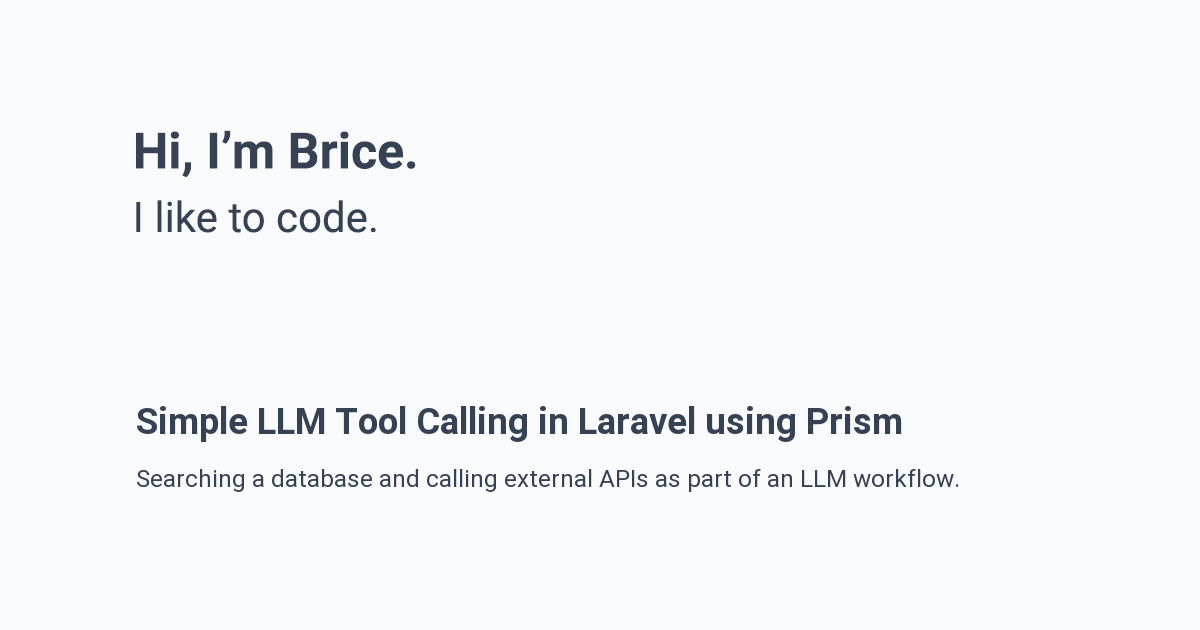
Below is a sample Open Graph image used for this article.
Use case
For when you want to generate an opengraph image for each of your posts and include the appropriate meta tags automatically.
Assumptions
You have a working HydePHP 2 project with Blade views published.
HTML meta tags
Open Graph meta tags control how your content appears when shared on social platforms like Facebook, LinkedIn, and Slack. Twitter has its own set of meta tags (prefixed with twitter:) that define how links appear in tweets. Together, these tags let you specify a title, description, and image that display when someone shares your URL.
Meta tags
In the head layout, we check if the current page is a MarkdownPost and set variables for the image, URL, title, and description accordingly. For posts, we check if a post-specific Open Graph image exists; if not, we fall back to the default. For other pages, we use site-wide defaults.
1@php 2 if ($page instanceof \Hyde\Pages\MarkdownPost) { 3 $imgExists = \Illuminate\Support\Facades\File::exists(base_path("_media/$page->identifier-opengraph.png")); 4 $img = config('hyde.url') . '/media/' . ($imgExists ? "$page->identifier-opengraph.png" : 'opengraph.png'); 5 $url = config('hyde.url') . '/posts/' . $page->identifier . '.html'; 6 $metaTitle = $page->title; 7 $metaDescription = $page->description; 8 } else { 9 $img = config('hyde.url') . '/media/opengraph.png';10 $url = config('hyde.url');11 $metaTitle = config('hyde.name');12 $metaDescription = 'Hi, I\'m Brice. I like to code.';13 }14@endphp15 16{!! Meta::property('og:type', 'website') !!}17{!! Meta::name('twitter:card', 'summary_large_image') !!}18{!! Meta::property('og:url', $url) !!}19{!! Meta::property('og:title', $metaTitle) !!}20{!! Meta::property('og:description', $metaDescription) !!}21{!! Meta::property('og:image', $img) !!}22{!! Meta::name('twitter:domain', 'brice.codes') !!}23{!! Meta::name('twitter:url', $url) !!}24{!! Meta::name('twitter:title', $metaTitle) !!}25{!! Meta::name('twitter:description', $metaDescription) !!}26{!! Meta::name('twitter:image', $img) !!}opengraph.png file to your _media directory.
Generation command
Since HydePHP is built on Laravel Zero, we can create custom artisan commands. We will create a command that reads the base Open Graph image, overlays the post title and description as text, and saves the result.
Installing Intervention Image
We will use the Intervention Image library to manipulate images. Install it with Composer:
1composer require intervention/imageDownloading fonts
The image generation command uses font files for text overlays. Download a font from Google Fonts and place the TTF files in resources/fonts/. This article uses Roboto, but you can substitute any font by updating the paths in the command.
Command implementation
Create the following command to generate Open Graph images. The command supports generating an image for a single post (interactive selection) or for all posts at once.
1<?php 2 3namespace App\Commands; 4 5use Hyde\Pages\MarkdownPost; 6use Illuminate\Support\Facades\File; 7use Intervention\Image\Drivers\Gd\Driver; 8use Intervention\Image\ImageManager; 9use LaravelZero\Framework\Commands\Command;10use SplFileInfo;11 12use function Laravel\Prompts\select;13 14class MakeOpengraphImage extends Command15{16 protected $signature = 'make:og-img {--all : Generate images for all posts}';17 18 protected $description = 'Generate an opengraph image for a post.';19 20 public function handle(): int21 {22 if ($this->option('all')) {23 $posts = collect(File::files(base_path('_posts')))24 ->map(fn (SplFileInfo $file) => MarkdownPost::parse(str_replace('.md', '', $file->getFilename())));25 26 foreach ($posts as $post) {27 $this->generateImage($post);28 }29 } else {30 $post = $this->promptForMarkdownPost();31 $this->generateImage($post);32 }33 34 $this->info('Done.');35 36 return static::SUCCESS;37 }38 39 protected function promptForMarkdownPost(): MarkdownPost40 {41 $postFileName = select(42 label: 'Which post?',43 options: collect(File::files(base_path('_posts')))44 ->map(fn (SplFileInfo $file) => $file->getFilename())45 ->toArray()46 );47 48 return MarkdownPost::parse(str_replace('.md', '', $postFileName));49 }50 51 protected function generateImage(MarkdownPost $post): void52 {53 $this->line("Generating image for post: $post->title...");54 55 $baseImagePath = base_path('_media/opengraph.png');56 $finalImagePath = base_path('_media/' . $post->identifier . '-opengraph.png');57 58 $manager = new ImageManager(new Driver());59 $image = $manager->read($baseImagePath);60 61 $image->text($post->title, 136, 434, function ($font) {62 $font->file(base_path('resources/fonts/Roboto-Bold.ttf'));63 $font->size(36);64 $font->color('#364153');65 });66 67 $image->text($post->description ?? '', 136, 470, function ($font) {68 $font->file(base_path('resources/fonts/Roboto-Regular.ttf'));69 $font->size(24);70 $font->color('#364153');71 $font->wrap(928);72 $font->lineHeight(1.6);73 $font->valign('top');74 });75 76 $image->save($finalImagePath);77 }78}Handle method
The handle method checks for the --all flag. If present, it collects all markdown posts from the _posts directory and generates an image for each. Otherwise, it prompts the user to select a single post.
Prompt for markdown post method
The promptForMarkdownPost method uses Laravel Prompts to display an interactive selection menu. It lists all files in the _posts directory and returns a parsed MarkdownPost instance for the selected file.
Generate image method
The generateImage method reads the base Open Graph image, adds the post title and description as text overlays at specific coordinates, and saves the result. The font files, sizes, and positions can be adjusted to match your design.
For a single post
Run the command without any flags to interactively select a post:
1php hyde make:og-imgFor all posts
Use the --all flag to generate images for every post in your _posts directory:
1php hyde make:og-img --allConclusion
We configured HydePHP to use dynamic Open Graph images for blog posts. The head layout checks the page type and sets appropriate meta tags for posts or falls back to site defaults. The artisan command generates images by overlaying post titles and descriptions onto a base template using Intervention Image.